공부하는삶/CV
TAO Toolkit 설치방법
Hanna 한나
2025. 8. 12. 17:10
그 어디에도 문서가 친절하게 되어 있지 않아서, 작성해본다.
- 환경 : WSL Ubuntu 24.04LTS, CUDA 12.4, Docker Desktop 설치 완료
1. https://org.ngc.nvidia.com/ 계정 생성 및 API key 받기
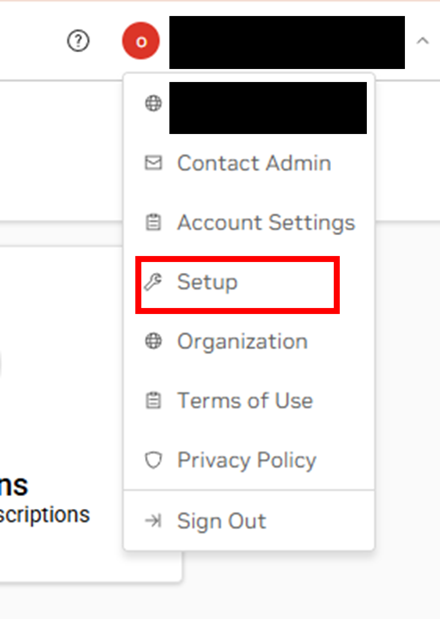
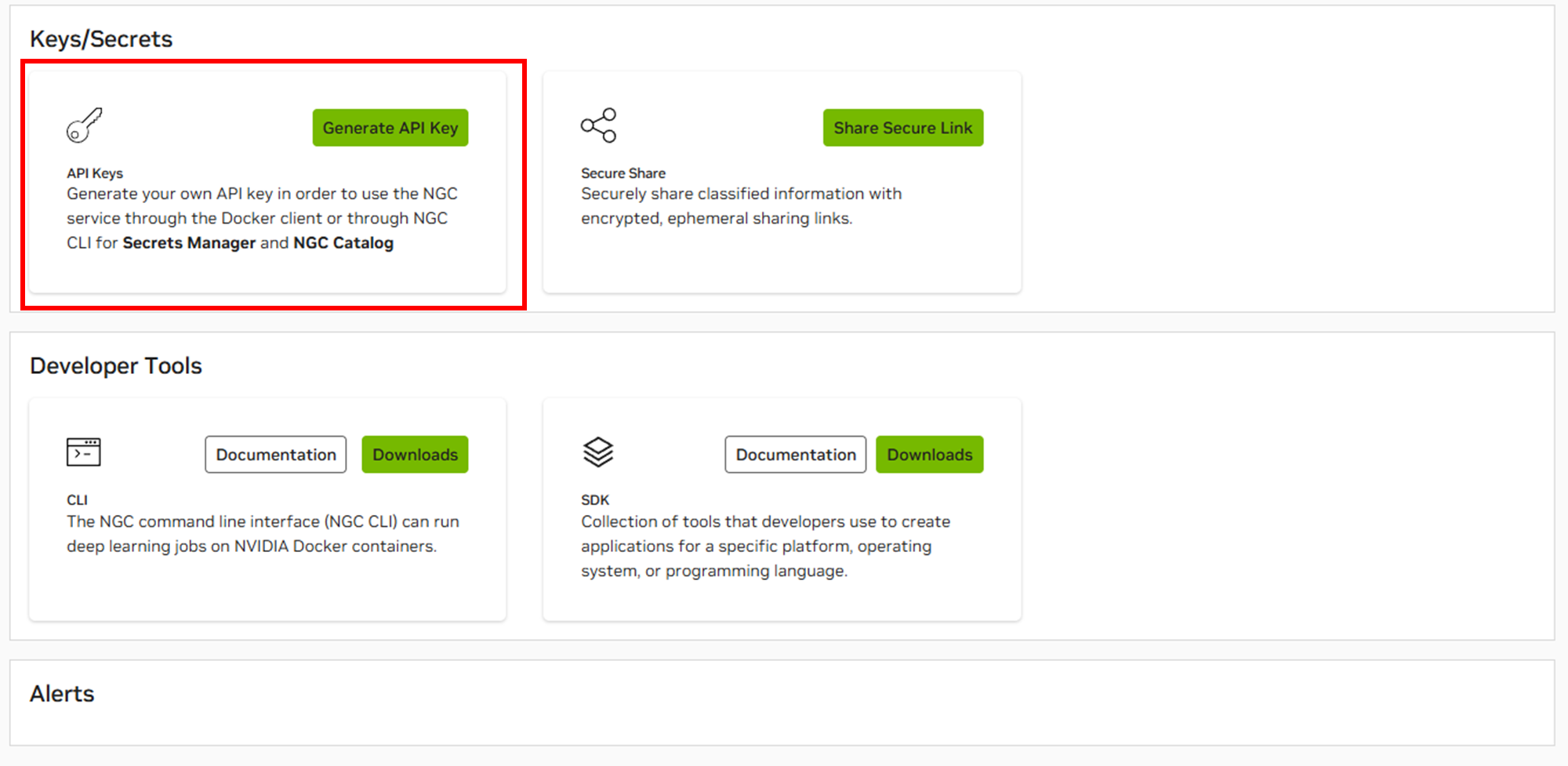
2. 환경 설치
$ git clone https://github.com/NVIDIA/tao_tutorials.git
$ cd tao_tutorials/setup
$ bash quickstart_launcher.sh --install
이런 식으로 docker login nvcr.io 를 하라고 나온다.

이 때, 다시 dockr login을 하고, 생성한 API key를 입력한다
$ docker login nvcr.io
Username: $oauthtoken
Password: <Your Key>
3. 실행하기
로그인을 하고, jupyter notebook 또는 VS Code을 실행하여서 tutorial 대로 진행을 하면 된다
$ cd ../notebooks/tao_launcher_starter_kit/
참고자료
- TAO Toolkit 문서 : https://docs.nvidia.com/tao/tao-toolkit/text/overview.html
Overview — Tao Toolkit
Overview TAO focuses on training, finetuning, and optimizing computer vision foundation models. Users can select one of 100+ pretrained vision AI models from NGC, and can fine-tune and customize on their own dataset without writing a single line of code. T
docs.nvidia.com
728x90